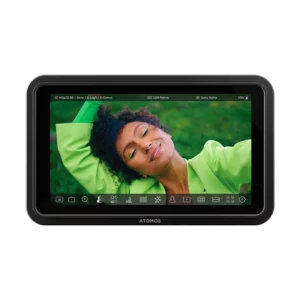
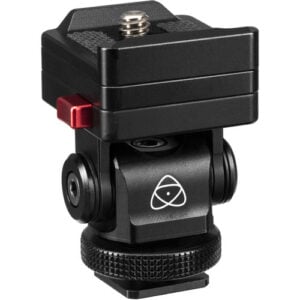
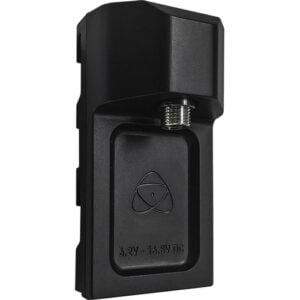
The Ninja RAW supports the use of select Sony, ARRI, JVC, RED, FUJIFILM, Nikon, Panasonic, and Canon log formats. Upload custom 3D LUTs to the monitor and output HDR conversion to Log, HLG, PQ, or Dolby Vision formats.You can record raw metadata such as white balance, exposure index, shutter speed/angle, iris f-stop, ISO, gamma, and gamut.
The HDMI input supports up to 8K30, DCI/UHD 4K60, and 1080p120 video.A loop-through output passes the incoming HDMI signal from the camera to another device, such as an external monitor, wireless transmitter, or live streaming encoder.
Adding a tally light to the Ninja RAW is a simple process to provide a clear visual indicator of when the camera is recording or broadcasting.When the Ninja is recording, the light automatically turns red (live/on-air). If the tally light is green, it indicates to the talent that the camera/monitor-recorder is on preview or standby.
The Ninja RAW features a CFexpress Type B slot and dual USB-C recording outputs supporting ultrafast data transfer rates based on PCIe and NVMe protocols, designed for scalability and futureproofing. In addition to recording directly to storage, the USB-C ports can also be used for calibration, uploading custom 3D LUTs, adding audio devices, and firmware updates.As of the AtomOS 12.2.1 free, over-the-air/download update, the Ninja RAW can record ProRes RAW from the Canon EOS R6 Mark III camera. RAW recording on the Canon EOS R6 Mark III supports up to 6960 x 3672p30 and 4320 x 2278p60.
The SegmentPro feature allows you to segment/split long recordings into smaller, user-defined chunks, all without dropping a frame so you can fit your files into any workflow.This makes it easier to share smaller files to minimize the risk of losing one large file
With a separately available USB-C network adapter, you can add a Camera to Cloud (C2C) workflow that allows you to upload your video files directly from your monitor-recorder to the cloud. Atomos supports direct progressive upload to their own cloud platform, ATOMOSphere, as well as Adobe Frame.io and Dropbox.Via the optional network adapter, it can also be fully integrated into an NDI environment, either as an NDI source, visible to all other authorized devices on the network, or as an NDI receiver, providing high-quality, low-bandwidth video.